Starsand Island インタラクティブマップ&ロケーション

Starsand Island インタラクティブマップ

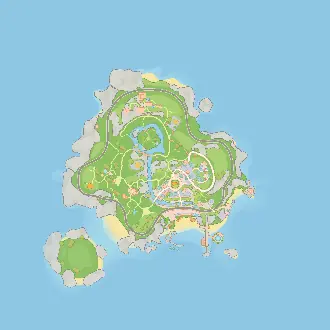
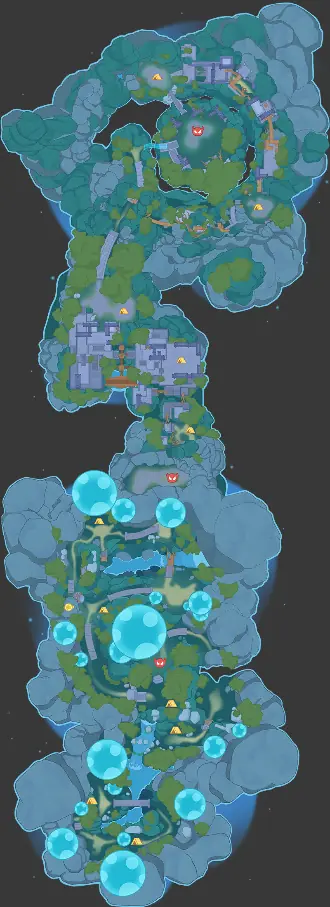
Starsand Island の Starsand Island Map, Moonlit Forest Map を Treasure Chests, Campsites, Gravecrystals, Fishing Spots, Shops, Resources, Moonlit Forest とともに探索しよう。The Hidden Gaming Lair 提供のその他ロケーションも掲載!

4
Maps
2,137
Locations
Mar 9, 2026
Last Updated
In-Game Companion AppLive overlay with player tracking and auto-discoveryGet it free →
広告なし を取得

広告を読み込み中... 💰

サイト更新情報

注:リリースノートは現在、英語のみで提供されています。

2026年3月30日月曜日

Major Layout Redesign

The header and navigation have been completely reworked across all platforms (Web, THGL Companion App, Overwolf) to maximize map area and create a consistent, streamlined experience.

Fewer Ads, More Map

  • Desktop: some ads are hidden when the filter sidebar is collapsed, giving you a cleaner map experience
  • Mobile: reduced from two ad containers (floating video + banner) to a single 320x50 bottom banner
  • "Get AD-Free" badge made more compact

New Header Layout (Web)

  • Replaced the left sidebar with a compact game switcher dropdown in the header
  • Social links (Discord, GitHub, Reddit) now sit inline in the header on desktop, and in the nav dropdown on mobile
  • Legal Notice, Privacy Policy, and Consent links moved into the nav dropdown on all screen sizes
  • Removed the Info button — all its content is now in the nav dropdown
  • Settings and Account buttons use outline style for better visibility
  • Account icon changed from Heart to CircleUser for clarity

New Header Layout (THGL Companion App)

  • Streamlined to just Settings, Account, and a burger menu in the header
  • Hide Controls, Overlay/Desktop/Both toggle, and Live Mode always visible in the header on all screen sizes
  • Burger menu contains social links (Discord, GitHub, Reddit), Debug Snapshot, and legal links
  • CircleUser icon for account, consistent with web

New Header Layout (Overwolf)

  • Rebuilt header with own 32px design (no longer shares the 54px web header)
  • Game switcher with compact icon fits the smaller header
  • 2nd Screen Mode, Live Mode, and Hide Controls always visible
  • Settings and Account as outline buttons, burger menu for socials, debug, and legal links
  • Debug Actors button now a compact icon instead of full-width text button
  • "Show controls" hint text reduced for a cleaner overlay experience

Grouped Map Controls

  • Map controls (Compass, 3D, Zoom, Home) and action buttons (Whiteboard, PeerLink, Node, Drawing) are now compact grouped strips
  • On mobile, a single button opens a popover with all controls
  • Action clicks close the popover; map control clicks don't
  • Consistent 32x32px button sizes across all groups

Collapsible Filter Panel

  • Filters collapse on mobile by default for more map space
  • A floating "Filters" button appears when collapsed
  • Slide-in/out animation via CSS left positioning
  • Expand/collapse toggle for small/large filter mode on desktop

Marker Tooltip Improvements

  • Tooltips now render outside the map container (no longer clipped by overflow)
  • Works correctly in small overlay/minimap windows
  • Tooltip closes when hovering over UI overlays (controls, filters)
  • Tooltip won't open for markers hidden behind UI elements

New Map Renderer on Overwolf

Other Improvements

  • External nav links restyled as pill buttons with borders for better visibility
  • Locale switcher shows globe icon and highlights active language
  • Brand text shows full game name on large screens, "TH.GL" on medium
  • Mobile banner ad aligned to bottom-left
  • "Get AD-Free" badge made more compact
  • Removed unused dev-log utility
  • Cleaned up private-node debug logging

... and several more Bug Fixes

2026年3月23日月曜日

New Map Renderer

The interactive map has been completely rebuilt with a new WebGL2-based renderer, replacing the previous engine (leaflet). This affects all game websites and the THGL Companion App.

What's improved

  • Map rendering is significantly faster and smoother, especially when zooming and panning
  • Icons and markers are rendered more efficiently, even with thousands on screen
  • Smoother player movement

3D Perspective Mode

  • Right-click and drag to tilt and rotate the map
  • On mobile, use two fingers to rotate and tilt while zooming
  • Height indicators show elevation differences between markers when tilted
  • New compass and map controls (3D toggle, zoom, reset view) next to the existing action buttons

New Settings

  • Dynamic icon sizing: control how marker icons scale when zooming in and out (toggle + intensity slider in Icon Sizes settings)
  • Trace line style: choose between dots (default) or connected line

Tooltip Improvements

  • Tooltips now reposition automatically to stay within the map area
  • Improve scrolling inside long tooltip descriptions

Text Labels

  • Labels scale consistently with zoom level

Other Changes

  • Responsive ad layout: smaller ad format on short browser windows to avoid overlapping map controls

Overwolf in-game overlays are not updated yet — I'd love to get your feedback on the new renderer first before rolling it out there. Let me know if you notice anything off!

2026年3月17日火曜日

Moonlit Forest Map Detection

The THGL App didn't detect the map when you are in the Moonlit Forest. This is fixed!

2026年3月9日月曜日

Shrub and Wildflowers

Available in live mode only - no static spawn locations on the map.

Fixed positions

Corrected chest and resource positions across both maps (island + cave).

Resources Live Mode

Resources now disappear after gathering.

さらに最新情報が知りたい?最新の変更点は Discord サーバー をチェック!

広告なし を取得

広告を読み込み中... 💰